Guided source setup
A clear starting point for connecting the report source and preparing a conversion.
Enterprise Software / Data Tooling
BI migration product / 2025
A technical migration process, reshaped into a flow analysts can complete with confidence.
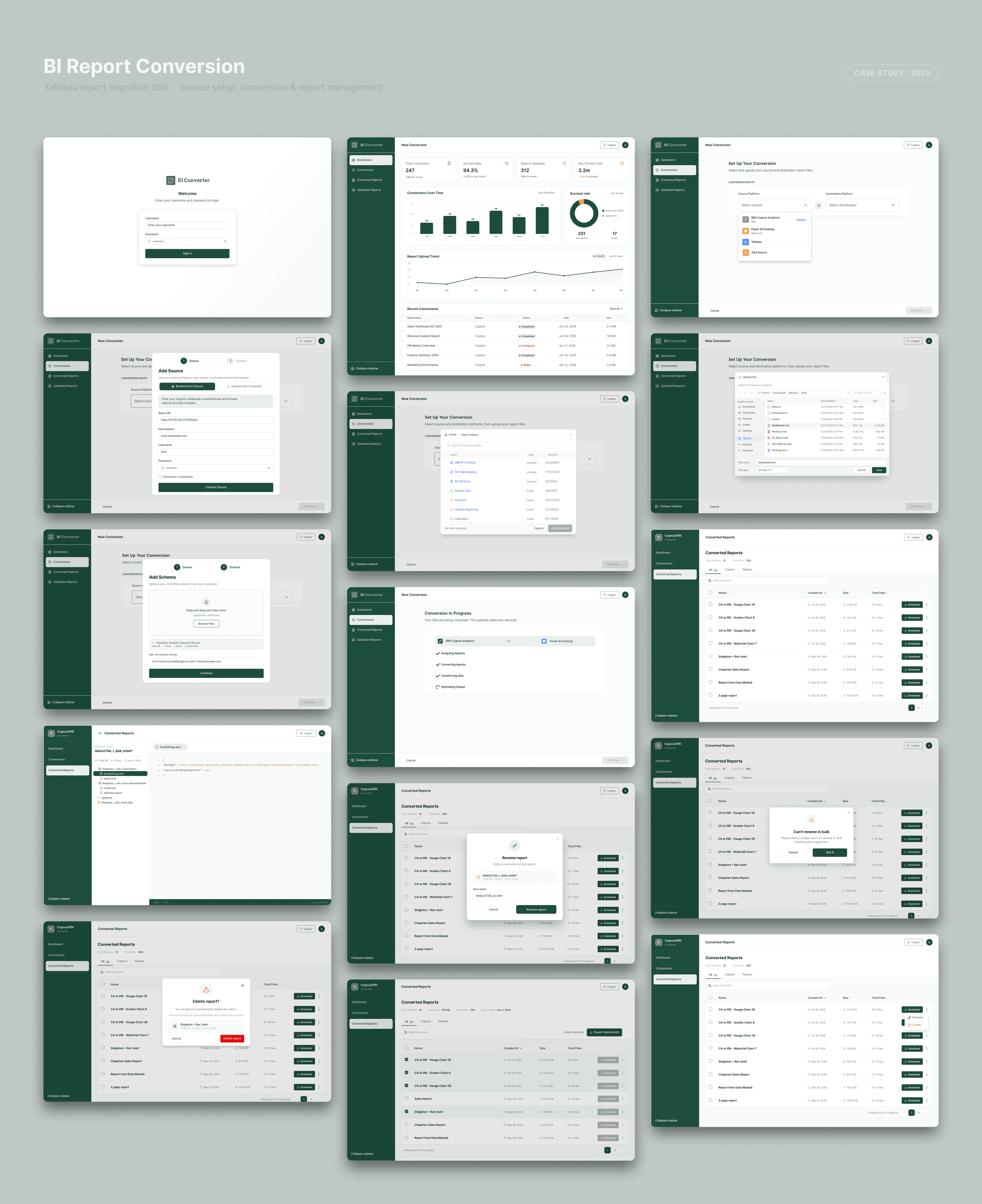
Designing a tool that migrates Tableau reports into a new BI environment without the manual rebuilding teams usually dread. The goal was to turn a technical, error-prone process into a guided flow that analysts can run themselves, then manage everything they convert from one place.
Moving reports between BI platforms is slow, technical, and easy to get wrong. Teams either rebuild dashboards by hand or lean on specialists, and when a conversion fails, the reason is often buried and hard to act on.
The work also does not end at conversion: people need to find, rename, and organize dozens of converted reports afterward, which the original process ignored.
Research pointed to two needs: a conversion flow that explains each step and its errors clearly, and a proper home for managing the output.
The design breaks conversion into a clear sequence: add a source, set the schema and mapping, review, then convert, with the state of each step visible at every point. Success and error states are surfaced plainly so users know what happened and what to do next, rather than hitting a dead end.
After conversion, a reports table with search, rename, bulk actions, and delete gives teams a single place to manage their library, and an analyze view lets them work with the results. The outcome is a process a non-specialist can complete with confidence.
A clear starting point for connecting the report source and preparing a conversion.
Visible mapping steps help analysts understand how source data moves into the new environment.
Plain success and error feedback explains what happened and what the user should do next.
Search, rename, bulk actions, delete, and analysis tools keep the converted library organized.
End of case study